Verify any customer policy or account directly from the source.
Type what you need to confirm in plain English. Your customer opens their insurer, bank, or airline website inside the BlinkTrust app, signs in, and verifies their coverage or balance in seconds. Depending on how you configure it, you receive a signed Verified pass alone or the full policy document pulled straight from the source.
Configure each workflow to return just a privacy-first Verified pass, or capture the full policy declarations page directly from the carrier for your compliance records.
AI document readers only inspect whatever static PDF a user uploads. BlinkTrust verifies live coverage directly on the carrier or bank website.
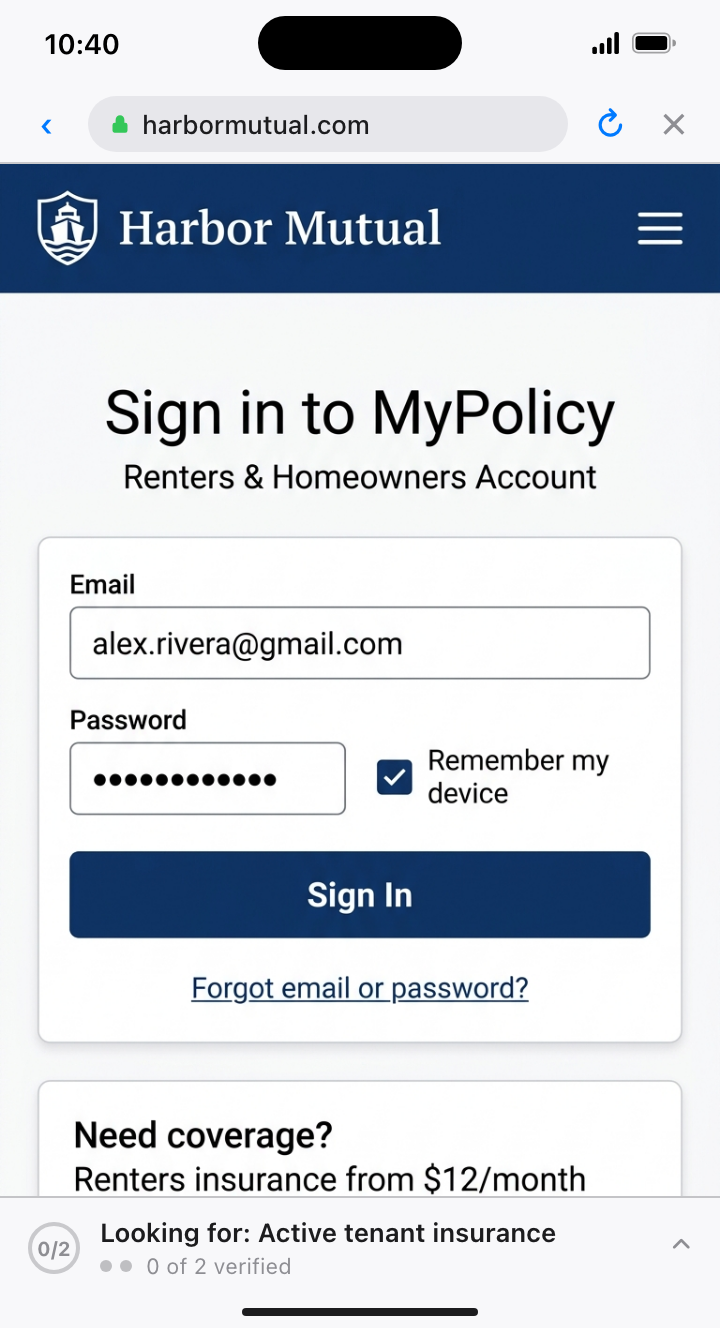
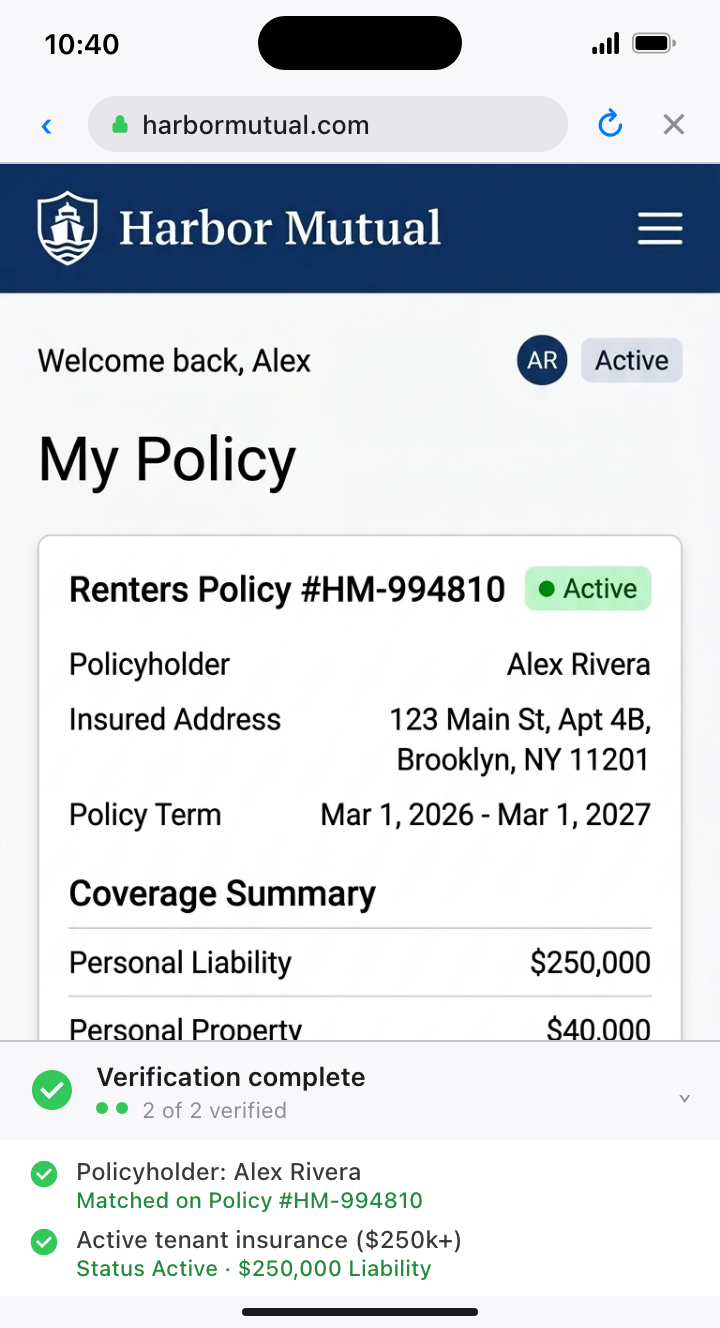
How a verification works from start to finish.
Your customer signs in at the source instead of downloading and uploading files, and you choose whether to receive a lightweight pass or the full source document.
01. Ask in plain text
Write what you need to confirm in plain English and choose whether you want just a signed pass or a copy of the full policy or statement on file.
02. Sign in inside BlinkTrust
Your customer taps the link on their phone, opens their insurer, bank, or airline website inside the BlinkTrust app, and signs in normally.
03. Policy checked on screen
As soon as their policy or account page loads, the BlinkTrust checklist at the bottom of the screen verifies the live data from the provider and marks it complete.
04. Pass or full document
Depending on how you configure the workflow, you receive a privacy-first Verified pass alone, or the full policy document pulled straight from the source for your records.
Why teams upgrade from AI PDF scanners to BlinkTrust.
Most teams already use AI to scan uploaded PDFs. The problem is that AI is still reading a static file the user uploaded, which cannot prove the policy is live today or catch clean edits.
| What Matters | AI PDF & Document Scanners | Direct Portal Integrations | BlinkTrust |
|---|---|---|---|
| Source of truth & fraud detection | AI reads whatever static PDF the user uploads; cannot tell if a file was cleanly edited or if the policy was canceled after download | Live data, but only available for a short list of pre-partnered institutions | Verified directly from the live insurer, bank, or airline website while the customer is signed in |
| Accuracy on real policies | Document AI can misread unfamiliar carrier layouts, endorsements, or multi-page policy terms | Reliable on supported connectors, but fails on regional or specialty providers | Checks the live account data directly on the provider website with any carrier or institution |
| What you keep on file | Always requires collecting an uploaded file, with no proof it came unaltered from the carrier | Often pulls broad account histories when you only needed a simple check | Configurable per workflow: get a privacy-first Verified pass only, or capture the full policy document straight from the source |
| Customer experience | Customer must log in separately, hunt down the declarations PDF, download it, and upload it back | Forces fallback to manual uploads whenever the customer's provider is missing | Tap a link on their phone, sign in inside BlinkTrust, and finish in 15 seconds |
Where teams use BlinkTrust.
Configure each workflow to return a privacy-first Verified pass or the full source document for your compliance records.
Verify active tenant insurance and keep the policy on file
AI PDF scanners can be fooled by edited declarations pages or policies canceled right after download. With BlinkTrust, the tenant signs in to their insurer inside the app to confirm live coverage, and you can automatically save the official policy copy to their lease file.
See BlinkTrust in action.
Tell us what policy, account balance, or customer record you want to verify. We will walk you through a live mobile demo tailored to your workflow.
Choose whether a workflow returns only a privacy-first Verified pass or also captures the full policy or account document from the source.
Customers sign in on the official website they already know and never hand over their login password.